Desktop Views
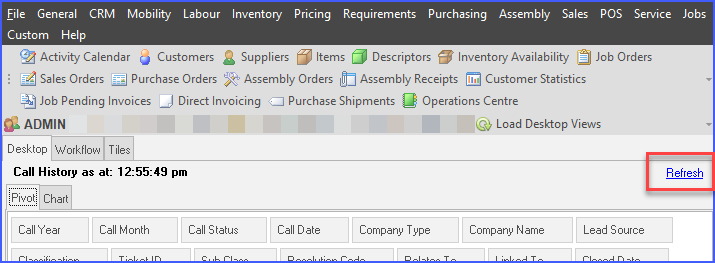
Desktop Views are user-defined presentations of information taken from Ostendo. They can be Analysis Views, Charts, Pivot Views or KPI’s. Additionally the displayed information can be refreshed by the user either pressing the Refresh Desktop Views button or by pressing F5.
The option to use and display Desktop Views is defined against the User’s Security and Options record (see File ->System Configuration ->User Security and Options). Up to 4 Views can appear on a user’s Desktop. The Views themselves are created via the Report and Views Developer function. These would normally be Analysis Views, Graphs, Charts, or KPI’s.
These Views are display only and provides no interaction with the User. However drill-down facilities are available if the View has been specified to provide this.
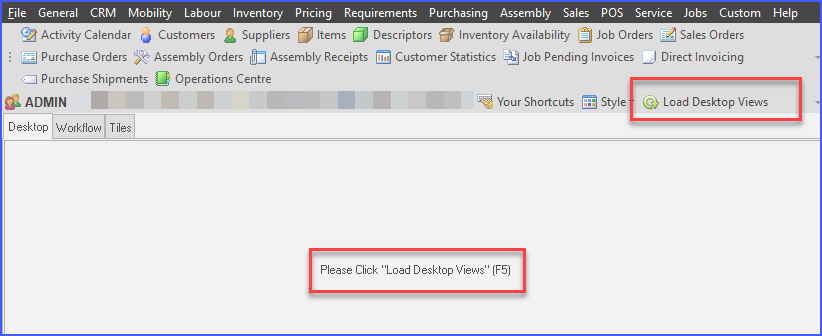
In order to reduce latency and decrease launch times, Desktop Views must also be initially loaded by the user either pressing the Load Desktop Views button or by pressing F5.
Refreshing of Desktop views is controlled by the user pressing the 'Refresh' button at the top right of each Desktop quadrant. Any Auto Refresh settings against the User account are ignored.