Flowchart Editor
Design professional process diagrams with an intuitive visual editor. Document workflows, decision trees, and business processes with standard flowchart notation.
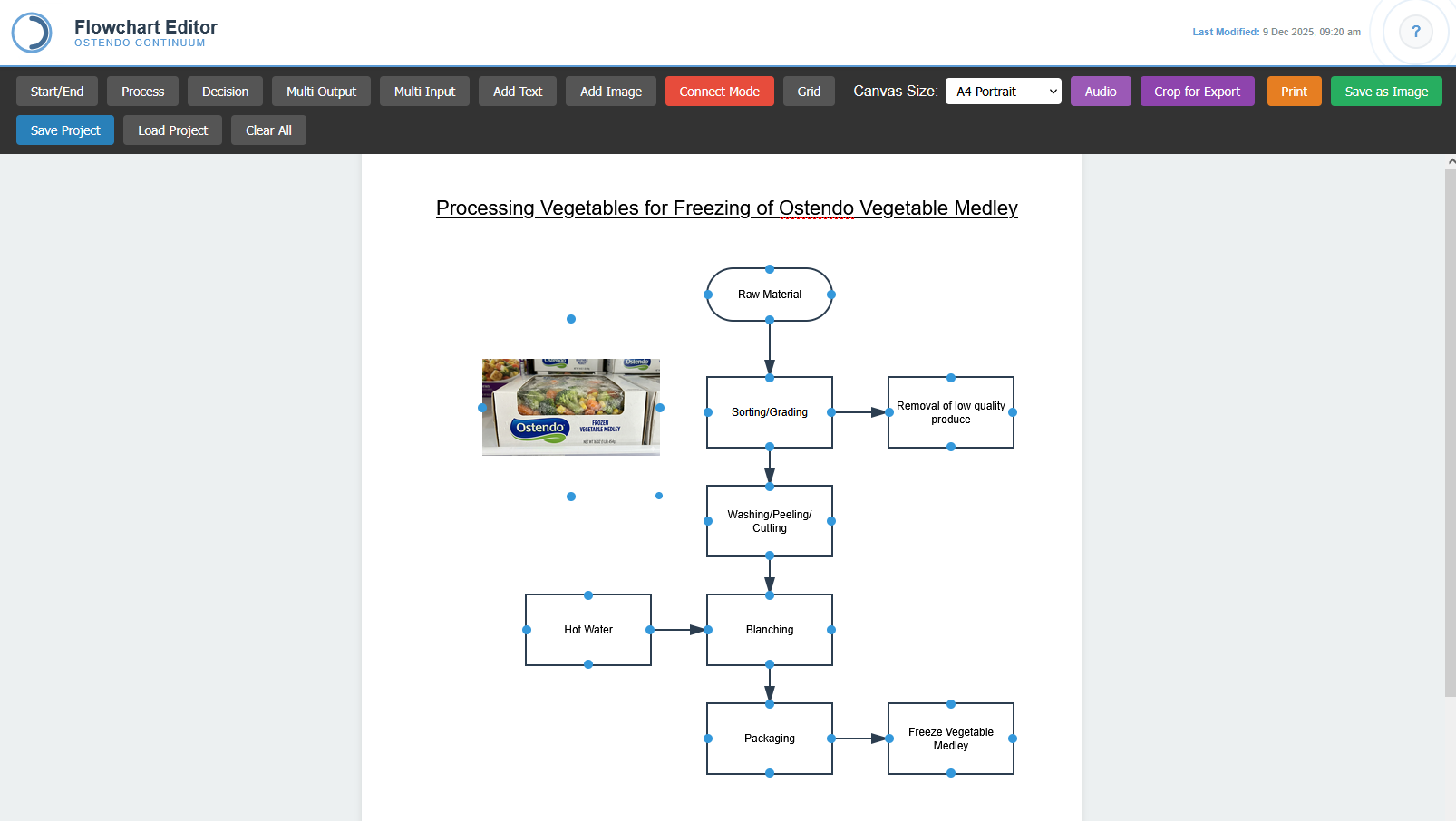
Visual Process Documentation
The Flowchart Editor provides a professional-grade diagramming tool for documenting business processes, manufacturing workflows, and decision logic. Using standard flowchart symbols, teams can create clear visual representations of complex procedures that are easily understood across the organisation.
The toolbar provides quick access to all standard shapes: Start/End terminals, Process rectangles, Decision diamonds, and multi-output/input connectors. Simply click to add shapes to the canvas, then drag to position. Connect Mode enables drawing flow lines between shapes, creating the logical sequence of your process.
Each shape offers extensive customisation including background colour, text colour, font selection, and styling options. The property panel provides real-time control over the selected element, ensuring your diagrams meet corporate branding guidelines or department colour-coding schemes. Multiple canvas sizes from A4 to custom dimensions support everything from simple procedures to wall-sized process maps.
Key Capabilities
Standard Flowchart Shapes
Full library of standard flowchart symbols including terminals, processes, decisions, and data shapes. Create universally understood diagrams.
Connector Lines
Connect Mode enables easy flow line drawing between shapes. Lines automatically attach to shape connection points for professional results.
Shape Styling
Customise every shape with background colours, text colours, fonts, and sizes. Create visually distinct diagrams that match your needs.
Grid Alignment
Optional grid overlay helps align shapes precisely. Create clean, professional layouts with consistent spacing and positioning.
Export Options
Save diagrams as images for documentation, print directly, or save projects for future editing. Crop for export to get exactly the content you need.
Text & Images
Add standalone text labels and embed images directly onto the canvas. Include logos, reference photos, or annotations anywhere in your diagram.