Bill of Materials Viewer
Explore multi-level product structures with an intuitive hierarchical tree view. Navigate complex assemblies, compare versions, and access detailed component information instantly.
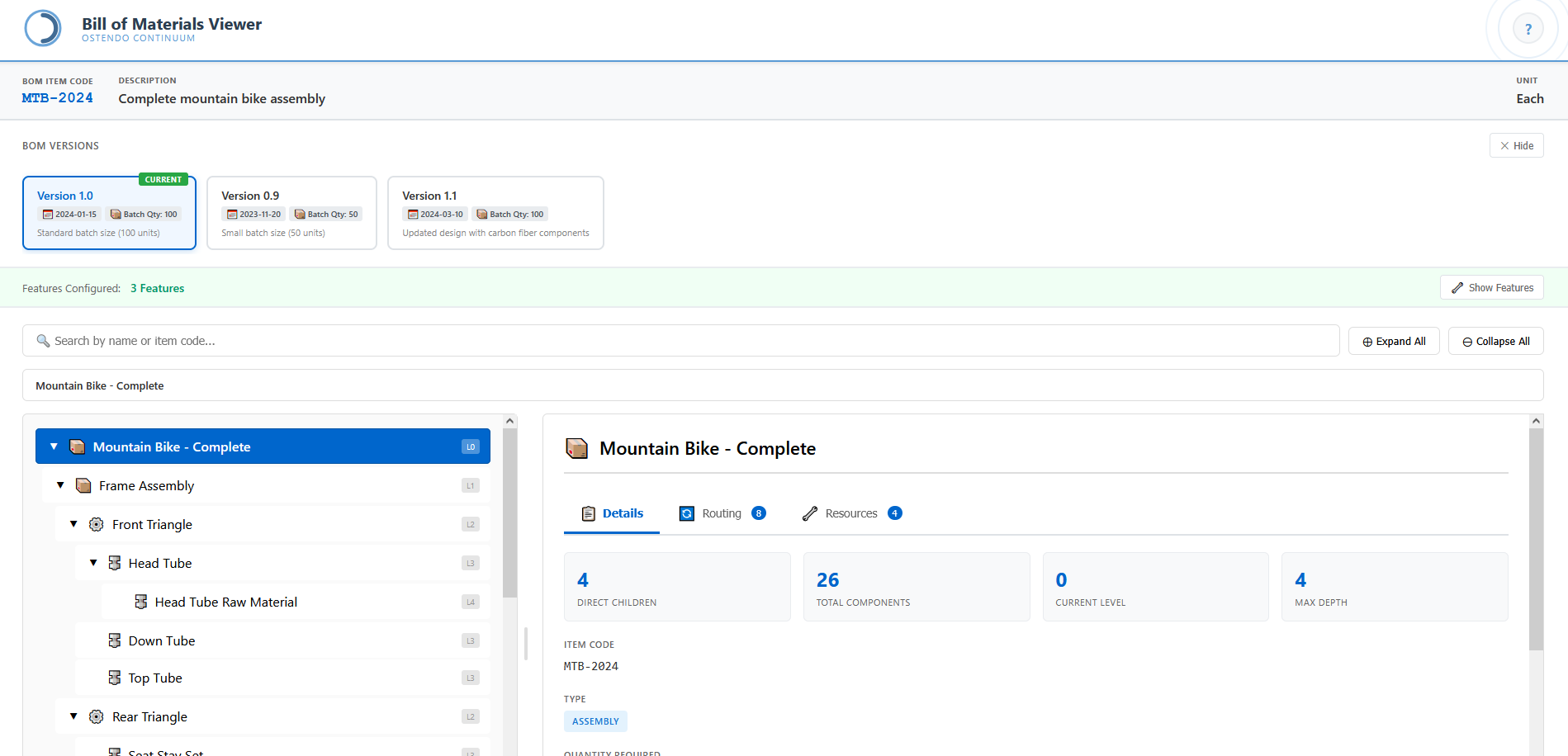
Complete Product Structure Visibility
The Bill of Materials Viewer provides a comprehensive interface for exploring the complete structure of manufactured products. Whether your assemblies span two levels or twenty, the hierarchical tree view makes it easy to understand how components combine into sub-assemblies and finished goods.
The left panel displays an expandable tree structure with visual indicators distinguishing between assemblies, sub-assemblies, and raw materials. Level indicators show the depth of each component within the hierarchy, while icons differentiate item types at a glance. Search functionality allows rapid navigation to specific components by name or item code.
The detail panel presents comprehensive information about the selected item including routing operations, resource requirements, and key metrics like direct children count, total component count, and maximum depth. Version management features enable comparison between different BOM configurations—essential for tracking engineering changes and maintaining product evolution history.
Key Capabilities
Hierarchical Tree View
Navigate multi-level assemblies with an intuitive collapsible tree. Expand and collapse branches to focus on relevant sections of complex product structures.
Version Management
Track BOM versions with effective dates and batch quantities. Switch between versions to compare configurations and understand product evolution.
Component Search
Find components instantly by name or item code. Search results highlight matching items within the tree, enabling rapid navigation in complex assemblies.
Routing Information
Access manufacturing routing details directly from the BOM view. See the sequence of operations required to produce each assembly.
Resource Requirements
View labour, machine, and tooling requirements associated with each BOM level. Essential for capacity planning and production scheduling.
Configurable Features
Manage product configurability with feature flags. Control which options and variants apply to specific BOM versions and customer requirements.